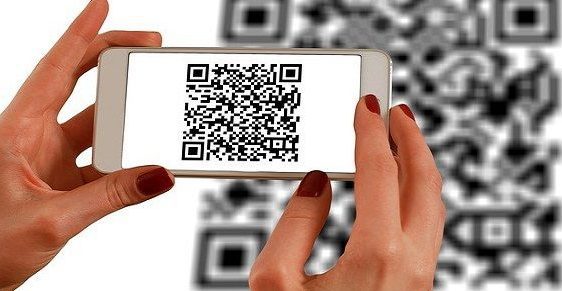

Want to create an email that really pops? Why not add a QR code to the mix! It’s easier than you think. Here’s how to embed a QR code or bar code into your email in just a few simple steps:
With these simple steps, you can easily include a QR code or bar code in your email to help recipients connect with you and your brand. Make sure to test the code before sending to ensure everything is working smoothly. Get ready for your email to stand out from the crowd!
Understanding the basics of HTML tags
To begin with, HTML (Hypertext Markup Language) is the primary language used to create web pages. It involves various tags that need to be included in the code to determine how the content will be displayed. One of these tags is the “img” tag, which is used for displaying images.
Incorporating an image into an email requires the use of HTML. Most email platforms allow HTML coding to be used in the email’s body, making it easy to insert images and links. The HTML code is placed in the email’s source code, and the email displaying the template is then sent to the recipient.
Choosing a reliable QR code generator
Creating QR codes can be tricky, which is why using a reliable QR code generator is essential. There are many QR code generators available online, both free and paid, and choosing the right one can make all the difference.
A good QR code generator should be able to generate high-quality QR codes that are scannable and reliable. It should also offer customization options such as color, size, and shape. One Trusted QR code generator available online is “QR Code Monkey.”
Generating the QR code image
Once a reliable QR code generator is selected, the process of generating the image begins. The first step is to decide what information the QR code should contain. A basic QR code typically contains a URL, but it is also possible to include other information, such as contact details, location, or event details.
After selecting the information, the QR code generator will ask for the type of the image, i.e., PNG or JPG. Once the image file is created, it must be saved on the computer or cloud drive for later use.
Using HTML tag to embed QR code
The next step is to embed the QR code image into the email. This is achieved via the “img” tag in HTML code. Copy the image file from your selected file and paste it into the code. Typically, the “img” tag looks like this:

The “src” attribute specifies the file path where the image is located, and the “alt” attribute is used to provide an alternate text for the image if it fails to load.
Testing the email with a QR code
Before sending an email with a QR code, it is crucial to test the email to ensure that everything is working as intended. This can be done by sending the email to yourself first and scanning the QR code with a mobile device.
If the QR code is scannable, it means that the process was successful, and the email is ready to be sent. If the code does not work, check the image file, HTML code, and QR code generator to fix the problem.
Tips for optimizing QR code visibility in emails
QR codes are a powerful marketing tool, but their effectiveness depends on their visibility. Here are some tips on how to optimize QR code visibility in emails:
- Make sure the QR code is large enough to be easily scanned.
- Use contrasting colors to ensure that the QR code stands out.
- Provide clear instructions on how to scan the code.
- Place the QR code in a visible position in the email, preferably above the fold.
- Embed the QR code in a call-to-action to increase engagement.
In conclusion, embedding QR codes or bar codes in emails via HTML tags can be a challenging task. However, by using reliable QR code generators, following the correct process, and optimizing visibility, it can be a successful marketing strategy.